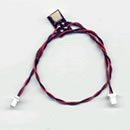
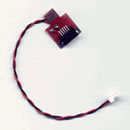
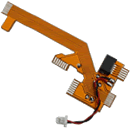
Lusifer mod: No PS2 can RESIST!
Plug&Play smt technology
Devil mod: No Xbox can RESIST!
Plug&Solder smt technology

GR version

/ home / Installation help

 
Installation of Lusifer modchip - As Simple as a Game!

The installation of Lusifer modchip, is as simple as a game!
Search in the back side of your console, to see the model number:


Use G1 - Plug In
for
SCPH-3xxxx models

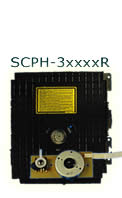
SCPH-3xxxx
click here!

- V1/V2 consoles
(only NTSC system)
- V3 consoles
(model SCPH-3xxxx + 10 screws underneath)
- V4/V4R consoles
(model SCPH-3xxxx + 8 screws underneath,
model SCPH-3xxxxR + 2 screws in the expansion bay)


Use G2 - Plug In
for
SCPH-3xxxxR models
and
SCPH-39xxx models

SCPH-3xxxxR
click here!

- V5/V6 consoles
(model SCPH-3xxxxR + 3 screws in the expansion bay
+ normal type connector)
- V6R consoles Lusifer modchip need configure first!
(model SCPH-3xxxxR + 3 screws in the expansion bay
+ reversed type connector)
SCPH-39xxx
click here!


Use G3 Plug-In for SCPH-5xxxx models

SCPH-5xxxx
click here!

- V9 consoles
(model SCPH-5xxxx)
- V10 consoles
(model SCPH-5xxxx + FOX sticker)

Only 10 minutes and a Philips type screwdriver required!

The Installation of Lusifer mod can be so much Fun
that a 12 years old boy SLuR
and a 15 years old girl L1
can install them in their v3 and v9 PS2 consoles!
Support in those models is an exclusive task of:
GRmods-Safe Console Hacking!

General info about the installation of Lusifer modchip

The following information are general,
and should not be used as a guide of Lusifer modchip in all versions, cause there is a possibility to damage your console!
$ony, to prevent piracy, has many diferent versions under the same name,
so you got to be carefull, and determine your version first!

Lusifer modchip do not effect in the operation of your system,
as it is a compatible with PS2 automatic open/closer of the cd-tray,
that allow you perform the swap tricks with AR2 / GS2!

STEP#1

Connect Lusifer modchip to the power

Move your cursor over the image >>


STEP#2

Connect Plug Ins to the CD-Rom

Move your cursor over the image >>


For SCPH-3xxxx models
use G1-Plug In.

Move your cursor over the image >>


For SCPH-3xxxxR models
use G2-Plug In.

---------------------------
One version of this models, requires to configure L-mod
before the installation!
---------------------------